Radiant Optimizer Games
About Hypersomnia
Hypersomnia combines top-down shooting with quick movement and team objectives. Learn to sprint and dash, pick up a weapon, aim with the mouse and manage ammunition. The shooting range provides a place to practise before joining modes such as Bomb Defusal on online servers.
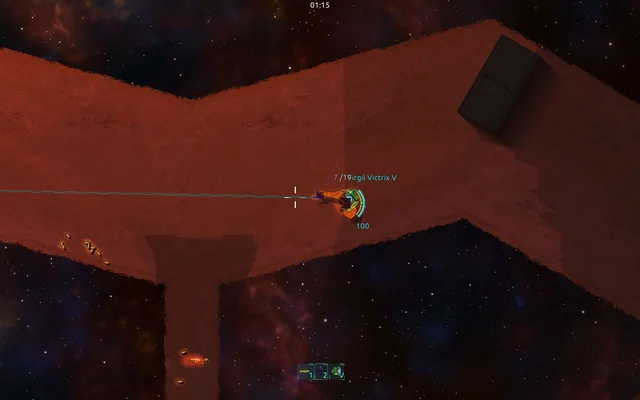
Hypersomnia in the browser
This listing links to the project’s own browser client. In our desktop Chrome test, a generated nickname was enough to begin; no Steam login or manual account registration blocked play. We tested movement, sprinting, dashing, respawning, weapon pickup, shooting and reloading, then joined the Warsaw server and moved and fired online. Other participants were labelled bots. Server pings were about 251–402 ms on our connection; this is not a guarantee for your region. Phone play and human matchmaking activity were not verified.
How to play Hypersomnia online
- Open Play now, wait for loading and confirm a nickname.
- Try Tutorial and Shooting range before joining a server.
- Open Browse servers, choose a server and connect. Wait for map downloads, then choose a faction or Auto-assign.
⚠ Never download a launcher or .exe from a browser game page.
Tips for Hypersomnia
- Practise sprint and dash timing in the tutorial before an online match.
- Use the range to learn pickup, firing and reloading without match pressure.
- Compare server ping values and allow map downloads to finish. Player counts may include bots.
Hypersomnia: questions and answers
Can I play Hypersomnia online for free?
Yes, it is free to open in your browser. It may need a large download, and the server can be slow when it is busy.
Do I need to install Hypersomnia?
No. Everything runs inside the browser tab. Close the tab and nothing stays on your computer apart from the browser cache.
Does Hypersomnia work on a phone or Chromebook?
It is built for desktop browsers. Chromebooks with an up-to-date Chrome usually work if they have enough memory; phones are not officially supported.
Why is Hypersomnia not loading?
Fan-made browser ports often run on small servers. Wait a minute and refresh, use Chrome or Edge on a desktop, close other heavy tabs, and make sure no extension is blocking the page.
Is the browser client official, and are opponents human?
The Play link opens the project’s own client. We connected and played online, but the other participants in the tested server were bots. A populated server list does not by itself prove active human matchmaking.