Radiant Optimizer Games
About NetHack
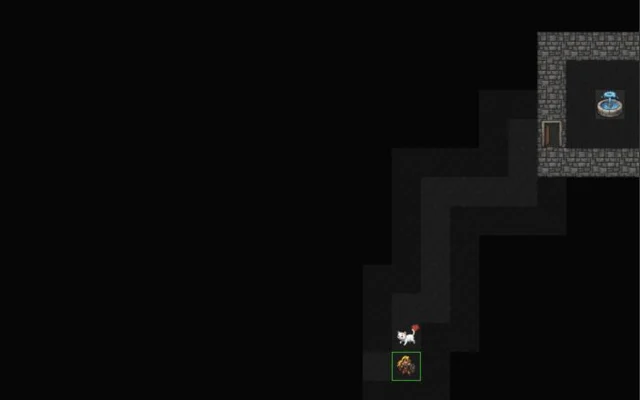
NetHack is a classic turn-based roguelike in which exploration, equipment and small decisions shape a dungeon expedition. Rooms connect through narrow corridors, companions can block a route and actions advance the turn counter. Its dense command set rewards careful reading rather than fast reflexes.
NetHack in the browser
NetHack Web is an unofficial web port. The linked Offline mode starts without account registration and stores progress in this browser. In desktop Chrome we explored rooms and corridors, advanced to turn 53, used Save & Quit and restored the same character and equipment. Combat, descending to another floor and a full run were not verified. Clearing site data can remove local saves; cross-browser save transfer was not tested.
How to play NetHack online
- Open Play now to reach Offline mode and create a character, or use Continue Offline for an existing save.
- Use arrow keys to move, or click a destination to follow a path. Read the messages after each action.
- Use Game → Save & Quit before leaving, then Continue Offline to resume in the same browser.
⚠ Never download a launcher or .exe from a browser game page.
Tips for NetHack
- Explore in short steps so you can react to new messages and obstacles.
- Check your health and turn counter regularly; movement advances time.
- Keep the same browser profile and avoid clearing site data if you want to keep your local save.
NetHack: questions and answers
Can I play NetHack online for free?
Yes. NetHack Web opens in a browser tab on the project's own site, with no download and no sign-up.
Do I need to install NetHack?
No. Everything runs inside the browser tab. Close the tab and nothing stays on your computer apart from the browser cache.
Does NetHack work on a phone or Chromebook?
It is built for desktop browsers. Chromebooks with an up-to-date Chrome usually work if they have enough memory; phones are not officially supported.
Why is NetHack not loading?
Fan-made browser ports often run on small servers. Wait a minute and refresh, use Chrome or Edge on a desktop, close other heavy tabs, and make sure no extension is blocking the page.
Where is my Offline save?
Offline progress is local to the current browser. Save & Quit and Continue Offline restored our test character. Do not assume it syncs to another browser or device.