Radiant Optimizer Games
About Battlefield 1942
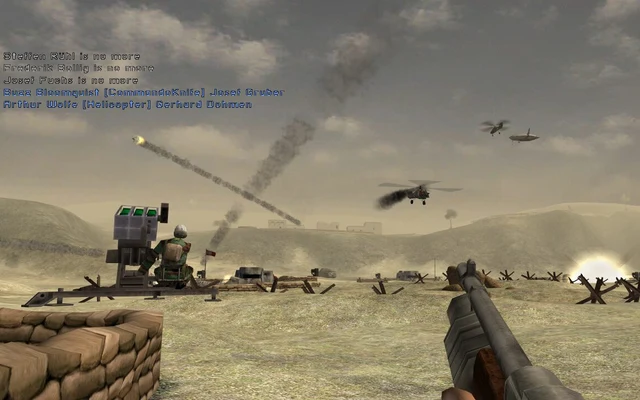
Battlefield 1942 (2002) built its multiplayer battles around capturing flags and fighting as a team. Infantry, tanks and aircraft share large World War II maps, with different classes supporting the frontline.
Battlefield 1942 in the browser
Pieter Levels hosts this unofficial, non-commercial preservation project, which is not affiliated with EA or DICE. The current landing page describes a recompilation of the free 2002 demo using WebAssembly and WebGL 2. Enter a player name and press Play; an account is not required. Use current desktop Chrome or Edge with WebGL 2; the page specifies Chromium 137 or newer. Expect a substantial first download and potentially slow loading. The project also advertises mobile controls, but this listing covers desktop because mobile play has not been verified here. We link to the project site only; availability may change or end.
How to play Battlefield 1942 online
- Use a desktop browser (Chrome or Edge works best).
- Click “Play now”. The game opens in a new tab on the original project's site.
- Wait for the first load; big games can download hundreds of MB.
- Click inside the game to capture the mouse. Press Esc to release it.
⚠ Never download a launcher or .exe from a browser game page.
Tips for Battlefield 1942
- Use an up-to-date desktop Chrome or Edge and wait for the initial download. Close heavy tabs if loading or performance suffers.
- Learn the infantry controls before taking a vehicle, and check the separate vehicle bindings in the game’s settings.
- Move with teammates and defend captured flags. Use cover when crossing open ground rather than rushing alone.
Battlefield 1942: questions and answers
Can I play Battlefield 1942 online for free?
Yes, it is free to open in your browser. It may need a large download, and the server can be slow when it is busy.
Do I need to install Battlefield 1942?
No. Everything runs inside the browser tab. Close the tab and nothing stays on your computer apart from the browser cache.
Does Battlefield 1942 work on a phone or Chromebook?
It is built for desktop browsers. Chromebooks with an up-to-date Chrome usually work if they have enough memory; phones are not officially supported.
Why is Battlefield 1942 not loading?
Fan-made browser ports often run on small servers. Wait a minute and refresh, use Chrome or Edge on a desktop, close other heavy tabs, and make sure no extension is blocking the page.
Is this an official browser release?
No. The site describes itself as an unofficial, non-commercial preservation project, not affiliated with EA or DICE. That description is not proof of permission to distribute the game. Access may change or end.