Radiant Optimizer Games
About Spelunky Classic
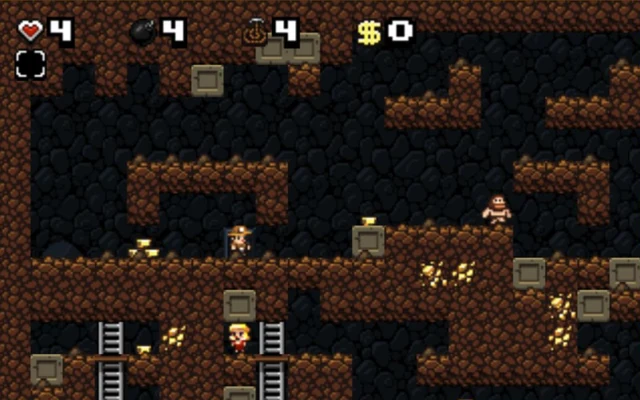
You start with four hearts, four bombs and four ropes. Gold is tempting, but getting back out of a drop can cost a rope, and a nearby enemy can end the run.
Spelunky Classic in the browser
Darius Kazemi adapted the classic GameMaker release to HTML5. His page hosts the game and links back to Derek Yu’s original.
How to play Spelunky Classic online
- Click the game, then walk left across the opening room to the door marked START.
- Stand in the doorway and press Up to enter the cave.
⚠ Never download a launcher or .exe from a browser game page.
Tips for Spelunky Classic
- Try the tutorial door beside the ladder if you want to practise before a run.
- Look below each ledge before dropping toward treasure.
Spelunky Classic: questions and answers
Can I play Spelunky Classic online for free?
Yes. Spelunky Classic HTML5 opens in a browser tab on the project's own site, with no download and no sign-up.
Do I need to install Spelunky Classic?
No. Everything runs inside the browser tab. Close the tab and nothing stays on your computer apart from the browser cache.
Does Spelunky Classic work on a phone or Chromebook?
It is built for desktop browsers. Chromebooks with an up-to-date Chrome usually work if they have enough memory; phones are not officially supported.
Why is Spelunky Classic not loading?
Fan-made browser ports often run on small servers. Wait a minute and refresh, use Chrome or Edge on a desktop, close other heavy tabs, and make sure no extension is blocking the page.
Where does the browser version come from?
This is Darius Kazemi’s port of Derek Yu’s original freeware game.