Radiant Optimizer Games
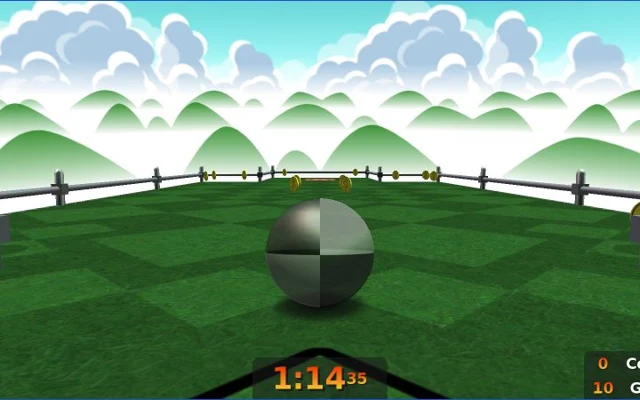
About Neverball
Neverball is a physics-based obstacle game in which you control the slope of the floor rather than directly steering the ball. Collect the required coins to unlock the goal, then reach it without falling off or running out of time.
Neverball in the browser
This browser build is hosted by the Neverball project. Click Play Now, enter a local player name and choose a level set such as Neverball Easy. No online account or installation is required. The project documents mouse, keyboard, gamepad and touch controls; our playability check used desktop keyboard controls.
How to play Neverball online
- Use a desktop browser (Chrome or Edge works best).
- Click “Play now”. The game opens in a new tab on the original project's site.
- Wait for the first load; big games can download hundreds of MB.
- Click inside the game to capture the mouse. Press Esc to release it.
⚠ Never download a launcher or .exe from a browser game page.
Tips for Neverball
- Start with Neverball Easy, level 01, and use small tilts to avoid overshooting.
- Collect the required coins before aiming for the goal. Tilt against your direction of travel to slow down.
Neverball: questions and answers
Can I play Neverball online for free?
Yes. Neverball opens in a browser tab on the project's own site, with no download and no sign-up.
Do I need to install Neverball?
No. Everything runs inside the browser tab. Close the tab and nothing stays on your computer apart from the browser cache.
Does Neverball work on a phone or Chromebook?
Yes. It is built for both desktop and mobile browsers, including Chromebooks; a recent Chrome, Edge or Safari works best.
Why is Neverball not loading?
Fan-made browser ports often run on small servers. Wait a minute and refresh, use Chrome or Edge on a desktop, close other heavy tabs, and make sure no extension is blocking the page.
Is this an official browser release?
Yes. The play link goes to the Neverball project’s own browser build. Neverball is free and open source.