Radiant Optimizer Games
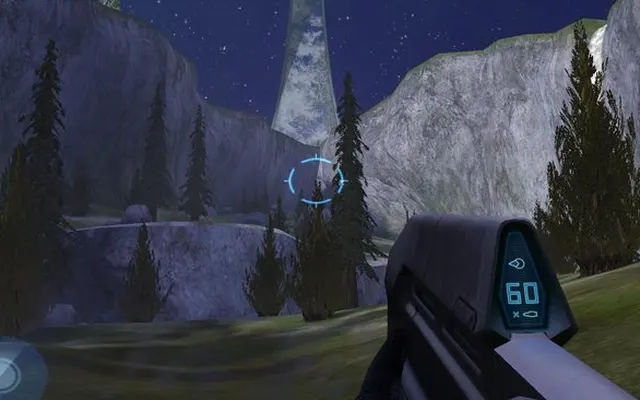
About Halo CE
Halo: Combat Evolved launched with the original Xbox in 2001 and defined console shooters, with its two-weapon limit, recharging shields and Warthog driving.
Halo CE in the browser
Unofficial Combat Lab browser project. Requires a compatible XISO from a disc you own; game data is not included. The image is processed locally and imported files stay in your browser. Maintained independently by Mitchell Hynes.
How to play Halo CE online
- Use a desktop browser (Chrome or Edge works best).
- Click “Play now”. The game opens in a new tab on the original project's site.
- Wait for the first load; big games can download hundreds of MB.
- Click inside the game to capture the mouse. Press Esc to release it.
- When asked, select the data files from your own copy of the game.
⚠ Never download a launcher or .exe from a browser game page.
Tips for Halo CE
- Melee is powerful: close the gap and finish shielded enemies with a hit.
- Pair a plasma weapon (to break shields) with a ballistic one (to finish).
- Let your shields recharge behind cover before pushing.
Halo CE: questions and answers
Can I play Halo CE online for free?
The browser version is free, but you need the data files from your own legal copy of the original game.
Do I need to install Halo CE?
No installation is needed. You only select the game files you already own when the page asks for them.
Does Halo CE work on a phone or Chromebook?
It is built for desktop browsers. Chromebooks with an up-to-date Chrome usually work if they have enough memory; phones are not officially supported.
Why is Halo CE not loading?
Fan-made browser ports often run on small servers. Wait a minute and refresh, use Chrome or Edge on a desktop, close other heavy tabs, and make sure no extension is blocking the page.
Is this the official Halo CE?
No. This page links to an independent web project. Neither Radiant Optimizer Games nor the project is affiliated with Bungie / Microsoft.