Radiant Optimizer Games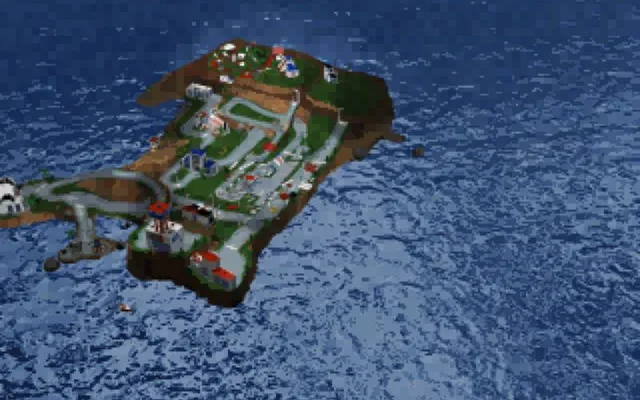
About LEGO Island
LEGO Island is a 1997 PC adventure developed by Mindscape for LEGO Media. You play one of five Infomaniac helpers on a small island town, building and driving custom cars, delivering pizzas, racing jet skis and helicopters, and finally chasing down the Brickster after he escapes from jail. It was one of the best-selling children's PC games of its time and is still remembered for its humour and freedom to explore.
LEGO Island in the browser
isle.pizza is an unofficial fan port, not affiliated with or endorsed by the LEGO Group. It is built on the community LEGO Island decompilation, which rebuilt the original source code byte for byte, and on the open-source isle-portable project; the web version streams the original game content progressively, like the 1997 CD-ROM. It adds widescreen, higher resolutions and bug fixes, saves progress automatically, supports keyboard and mouse, gamepad and touch, and can install about 550 MB of files for offline play. It is free with no ads.
How to play LEGO Island online
- Use a desktop browser (Chrome or Edge works best).
- Click “Play now”. The game opens in a new tab on the original project's site.
- Wait for the first load; big games can download hundreds of MB.
- Click inside the game to capture the mouse. Press Esc to release it.
⚠ Never download a launcher or .exe from a browser game page.
Tips for LEGO Island
- Press Esc to skip the opening videos.
- Visit the Infocenter first; it's the hub for choosing your character and missions.
- Build your own car or helicopter at the shops, then take it for a drive around the island.
- Use Configure before starting to pick the language, resolution and widescreen.
LEGO Island: questions and answers
Can I play LEGO Island online for free?
Yes, it is free to open in your browser. It may need a large download, and the server can be slow when it is busy.
Do I need to install LEGO Island?
No. Everything runs inside the browser tab. Close the tab and nothing stays on your computer apart from the browser cache.
Does LEGO Island work on a phone or Chromebook?
Yes. It is built for both desktop and mobile browsers, including Chromebooks; a recent Chrome, Edge or Safari works best.
Why is LEGO Island not loading?
Fan-made browser ports often run on small servers. Wait a minute and refresh, use Chrome or Edge on a desktop, close other heavy tabs, and make sure no extension is blocking the page.
Is this the official LEGO Island?
No. isle.pizza is an unofficial fan port and is not affiliated with or endorsed by the LEGO Group. Radiant Optimizer Games is not affiliated with it either.
Can I save my progress?
Yes. The game saves automatically; return to the Infocenter and use the exit door to make sure your save is locked in.