Radiant Optimizer Games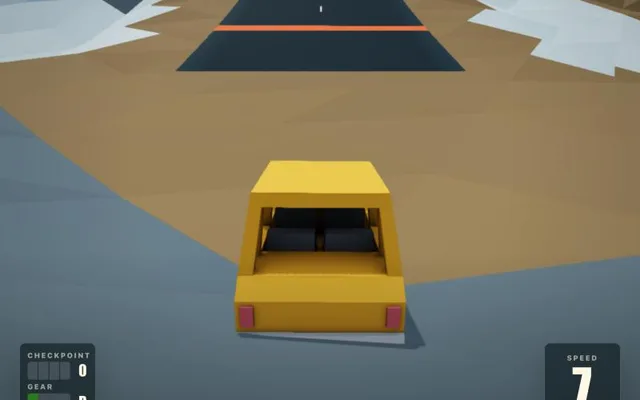
About Swervle
Swervle is a physics-based racing game built around a daily challenge. Every day the site publishes a new track, and everyone drives the same course in a small, bouncy car, trying to set the fastest time. Ghosts of earlier runs show you where you can cut corners, checkpoints and a gear readout keep you on course, and a garage lets you change cars. Past races stay available if you want to practise an older track.
Swervle in the browser
Swervle runs free on its own site, and today's track starts without signing in; an optional account keeps your times across devices. It works on desktop and phone browsers. A Steam version is in the works, and the site links to its wishlist page.
How to play Swervle online
- Use a desktop browser (Chrome or Edge works best).
- Click “Play now”. The game opens in a new tab on the original project's site.
- Wait for the first load; big games can download hundreds of MB.
- Click inside the game to capture the mouse. Press Esc to release it.
⚠ Never download a launcher or .exe from a browser game page.
Tips for Swervle
- Turn on ghosts with G to see where faster runs cut the corners.
- Tap the handbrake to swing the car through tight hairpins.
- Press R to recover quickly after a crash instead of restarting.
- Learn the track in a few relaxed laps before chasing your best time.
Swervle: questions and answers
Can I play Swervle online for free?
Yes. Swervle opens in a browser tab on the project's own site, with no download and no sign-up.
Do I need to install Swervle?
No. Everything runs inside the browser tab. Close the tab and nothing stays on your computer apart from the browser cache.
Does Swervle work on a phone or Chromebook?
Yes. It is built for both desktop and mobile browsers, including Chromebooks; a recent Chrome, Edge or Safari works best.
Why is Swervle not loading?
Fan-made browser ports often run on small servers. Wait a minute and refresh, use Chrome or Edge on a desktop, close other heavy tabs, and make sure no extension is blocking the page.
Is Swervle free?
Yes. The daily race is free in the browser and starts without an account.
Is there a new track every day?
Yes. A new course goes up each day, and you can replay past races from the menu.